
Re-provisioning your EAGLE after a meter replacement
If your utility replaces your meter, you will need to provision your EAGLE to the new meter.
Follow these steps:
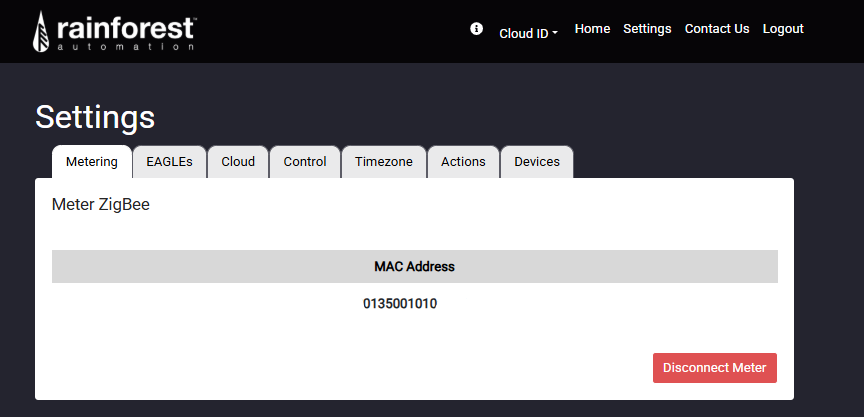
- Remove your old meter from the User Portal:
- Navigate to Settings → Metering → Disconnect Meter.
- Factory reset your EAGLE. Refer to the article Factory resetting the Zigbee radio on your EAGLE 3 for instructions.
- Contact your utility and request that they provision your device to the new meter. You can also ask them if they are able to ping the device to confirm connectivity.
- Once re-provisioned, your EAGLE will connect to the new meter over Zigbee.
⚡ Note:
Re-provisioning may take some time. Ensure your EAGLE is powered on and online while the utility completes the process.