
Factory resetting the Zigbee on your EAGLE 3
To reset the Zigbee Meter Module on your EAGLE 3:
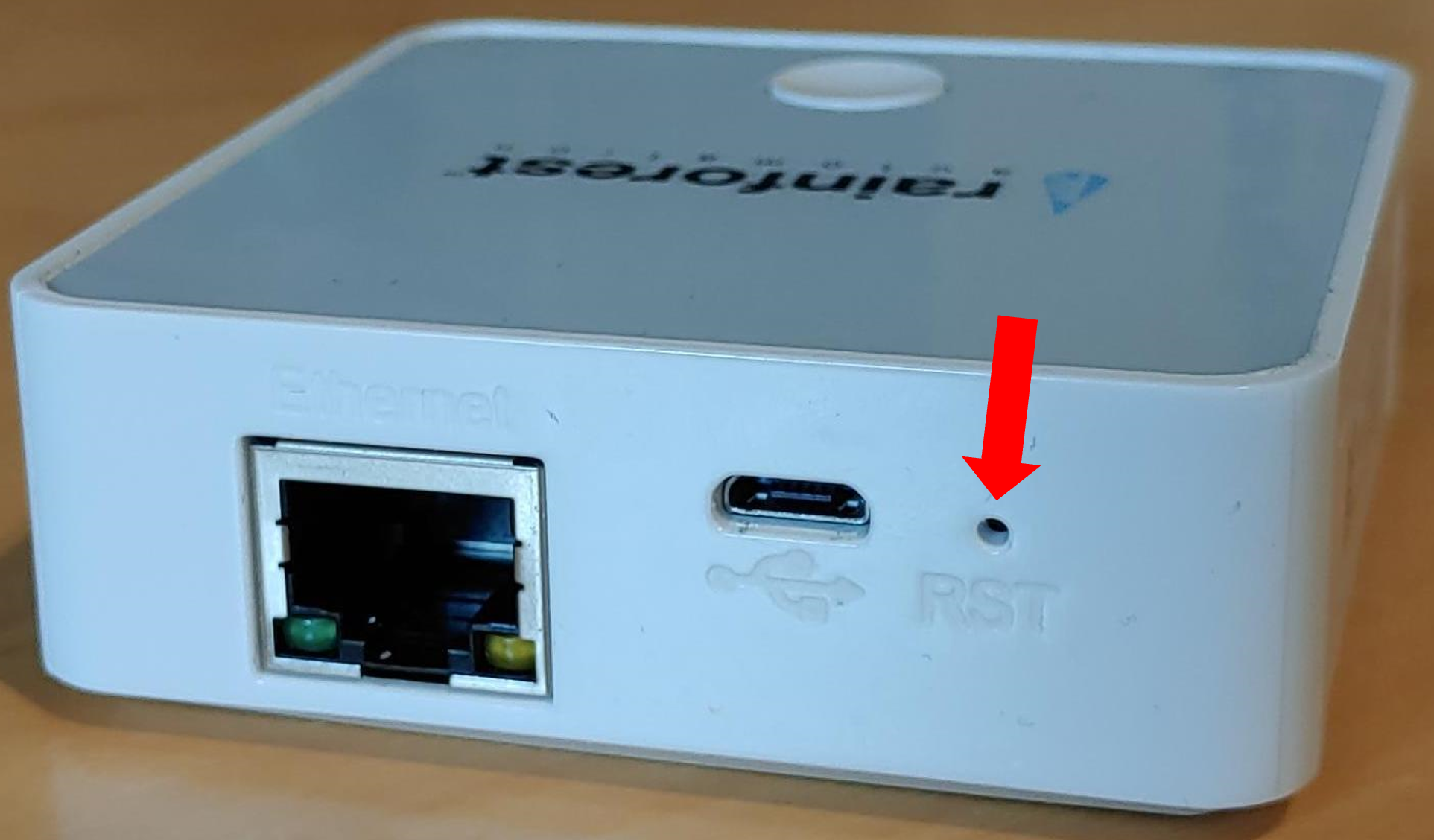
- Locate the pinhole reset button on the back of the device.
- Using a thumb pin, paperclip, or similar tool, press and hold the pinhole button for approximately 6 seconds.
⚠️ Important:
- Performing a factory reset will not provide any LED feedback. This reset only affects the Zigbee connection to your smart meter and will not reset your device firmware, Wi-Fi or Cloud connection.
- We recommend performing a factory reset before each re-provisioning attempt with your utility to ensure a clean connection. After resetting, you may need to re-provision your device to the meter.